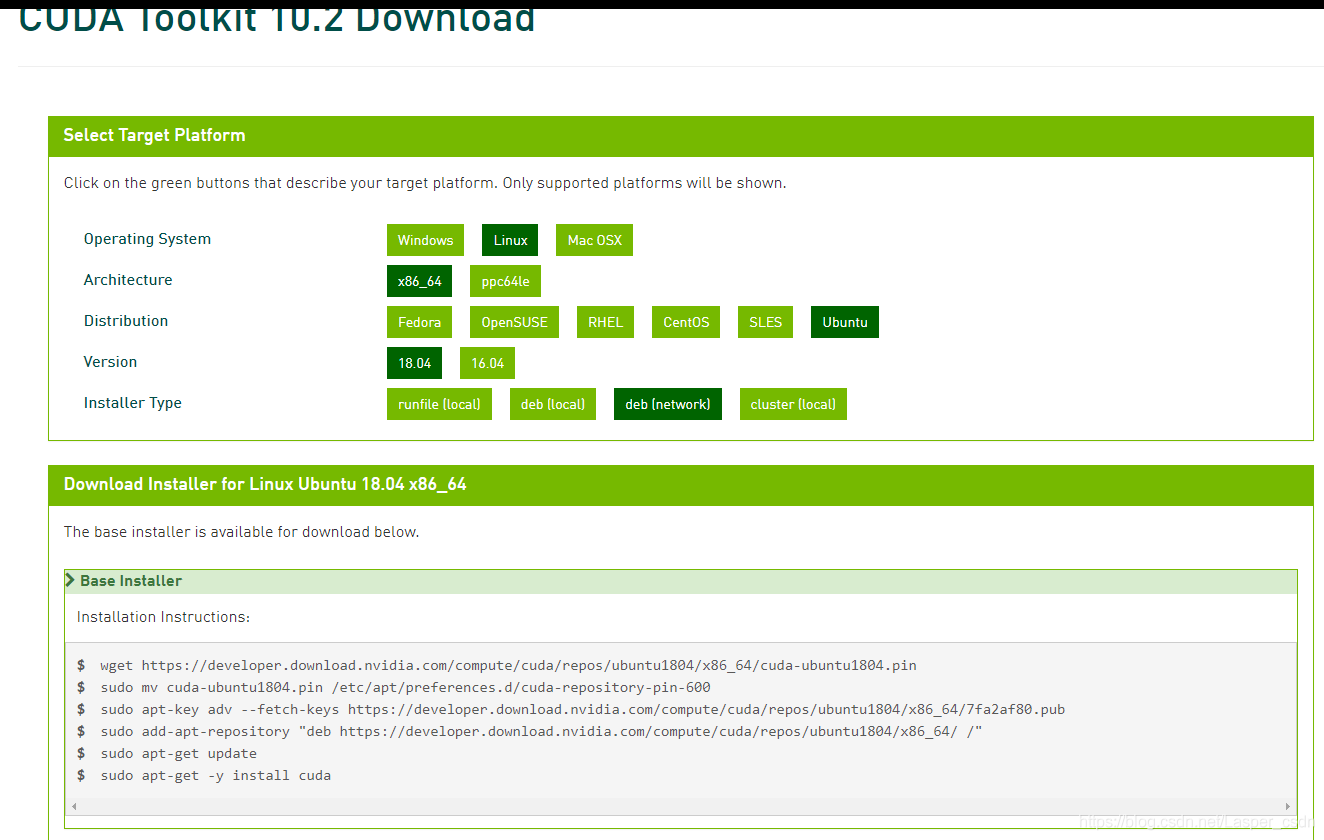
最近使用如下图的deb(network)方式来安装cuda,发现下载很慢。便寻找加速方法,网上搜了一圈,没发现合适的方法。后来无意中发现有cuda的国内镜像,便采用国内镜像在线安装的方式。
安装方法同cuda官网的安装一致,只是将其地址换成国内镜像地址。
下面以Ubuntu 18.04安装cuda-10-2为例。
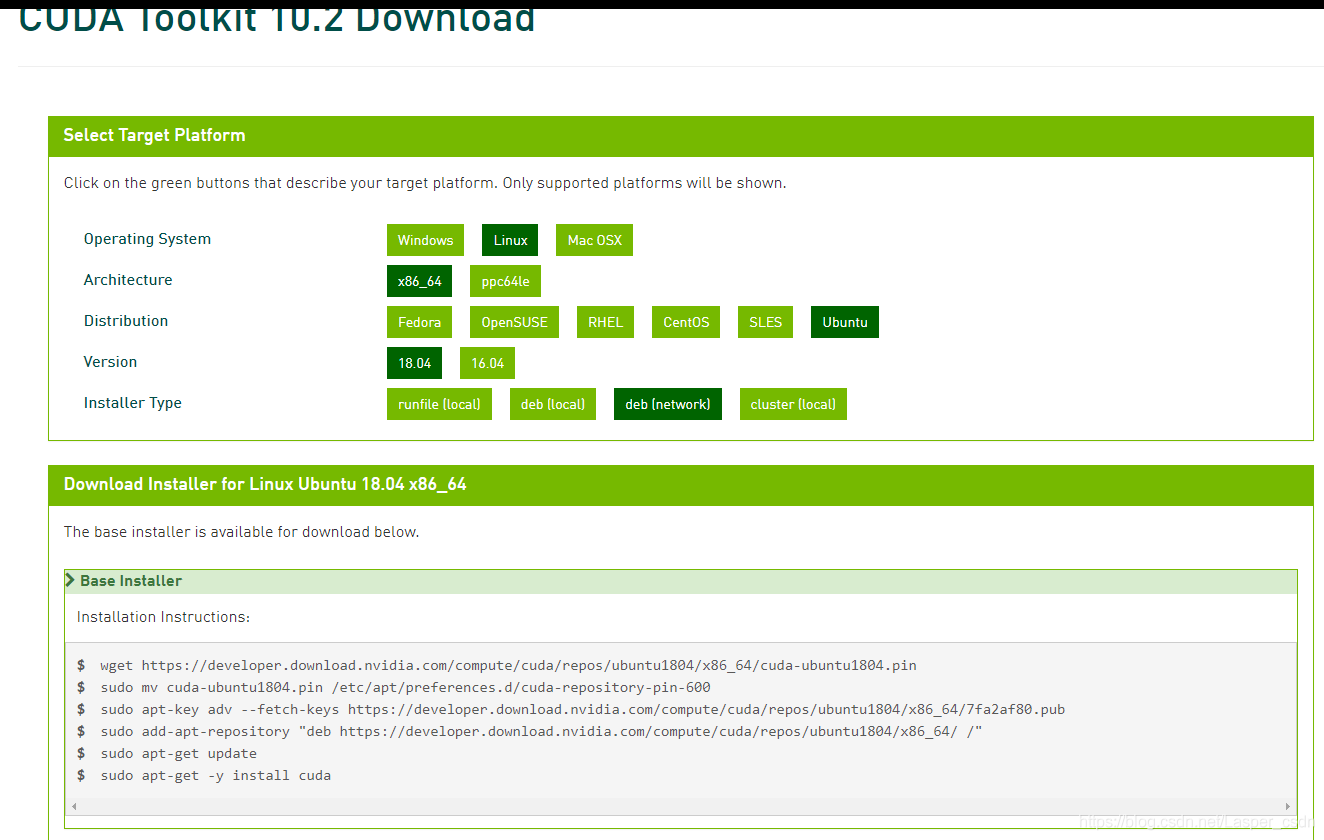
安装方式:几乎和官网的安装步骤一致,只需要替换地址信息。具体步骤如下。
wget https://mirrors.aliyun.com/nvidia-cuda/ubuntu1804/x86_64/cuda-ubuntu1804.pin
sudo mv cuda-ubuntu1804.pin /etc/apt/preferences.d/cuda-repository-pin-600
sudo apt-key adv --fetch-keys https://mirrors.aliyun.com/nvidia-cuda/ubuntu1804/x86_64/7fa2af80.pub
sudo add-apt-repository "deb https://mirrors.aliyun.com/nvidia-cuda/ubuntu1804/x86_64/ /"
sudo apt-get update
sudo apt-get -y install cuda-10-2
PS:
其中,官网是`sudo apt-get -y install cuda`这里会安装最新版本的cuda。如果需要安装特定的版本,需要指定cuda版本号。
版权声明:本文为CSDN博主「agrichron」的原创文章,遵循CC 4.0 BY-SA版权协议,转载请附上原文出处链接及本声明。
原文链接:https://blog.csdn.net/Lasper_csdn/article/details/112852218